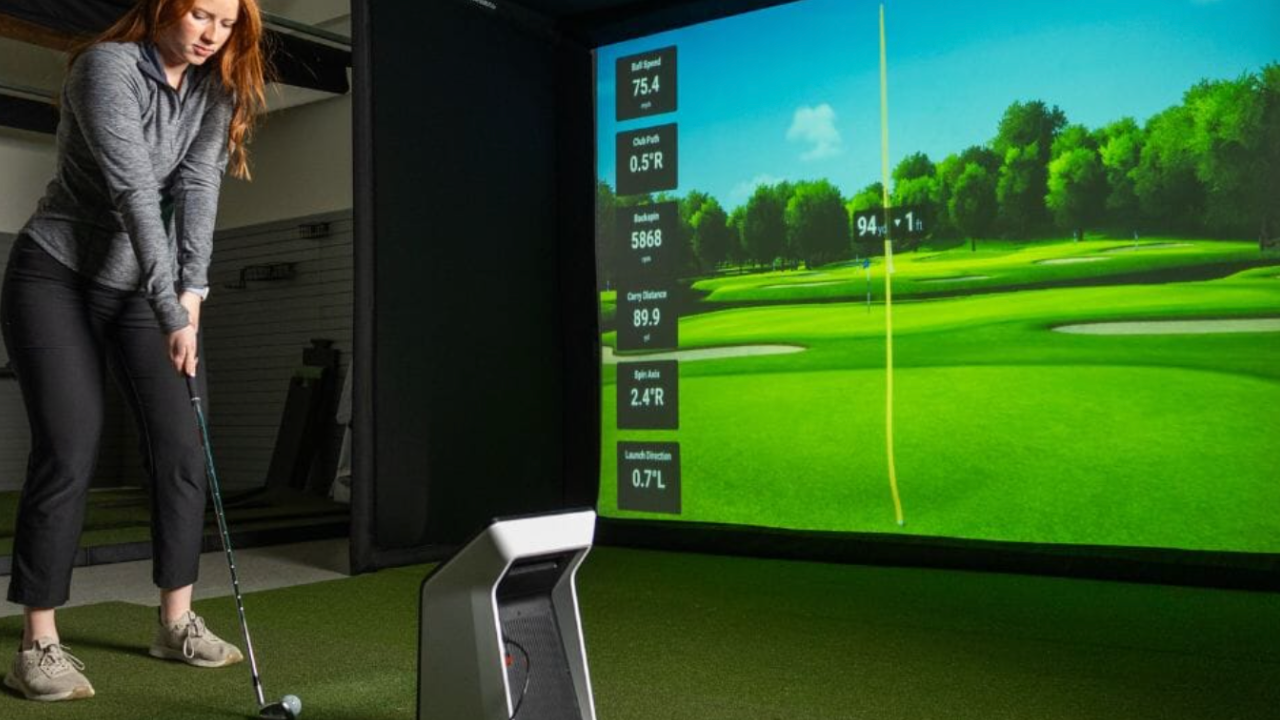
If you’re investing in a golf simulator, you’re not just buying hardware — you’re buying practice time, feedback, and confidence. Two of the most discussed options in the portable and home simulator space are Garmin (R10 and R50) and SkyTrak. Both have strong followings, but they serve different needs, spaces, and skill goals. Understanding these differences will save you time, money, and frustration.
1. Purpose and Philosophy
SkyTrak positions itself as a true home simulator. Its radar-based launch monitor captures detailed ball flight metrics and communicates with simulation software to create an immersive indoor golf experience. SkyTrak is designed to replicate the on-course experience as closely as possible for practice, entertainment, and skill development. Every SkyTrak purchase assumes that the user is setting up a dedicated hitting bay, whether it’s in a garage, basement, or spare room.
Garmin, on the other hand, is designed around flexibility and portability. Its R10 and R50 models focus on giving golfers meaningful feedback without committing to a permanent setup. Garmin devices are smaller, lighter, and can be used indoors or outdoors, in garages, on ranges, or even temporarily in shared spaces. It prioritizes convenience and accessibility over high-fidelity indoor simulation.
Takeaway: Choose SkyTrak if you want a dedicated simulator experience with high realism. Choose Garmin if you value flexibility, portability, and casual-to-serious practice that doesn’t require remodeling your home.
2. Data Accuracy and Metrics
SkyTrak captures a wide range of metrics: ball speed, launch angle, spin rate, side spin, backspin, carry distance, and more. It’s a photometric radar system that produces data precise enough for serious improvement and club fitting. This is why SkyTrak is popular among amateurs who want real feedback, teaching professionals, and golf instructors.
Garmin, especially the R10, offers metrics like ball speed, carry distance, smash factor, club speed, and shot shape. The R50 improves accuracy and adds on-device display and enhanced analytics. While Garmin’s measurements are impressive for its price point and portability, it is not as precise as SkyTrak. Its data works well for identifying trends and practicing swing consistency, but it may not suffice for precise fitting or elite-level training.
Takeaway: If your goal is pinpoint accuracy and detailed ball tracking, SkyTrak is the winner. Garmin provides actionable metrics, but with more variability, making it better for learning, practice, and casual simulation rather than exact performance diagnostics.
3. Simulator Experience and Software
SkyTrak comes with access to software ecosystems that allow full simulation:
-
Virtual golf courses, practice ranges, and skill challenges
-
Integration with platforms like WGT, The Golf Club 2019, and E6 Connect
-
Home practice plans and club fitting options
It is designed for immersive indoor play — you swing, the ball appears virtually, and you see realistic outcomes. SkyTrak’s software can simulate full rounds, provide stats reports, and integrate with multiple third-party apps.
Garmin uses its Garmin Golf app and compatible software like Home Tee Hero to create simulation experiences. While it can display ball flight, practice ranges, and simple course play, it does not offer the same depth of simulation as SkyTrak. Garmin’s strength is that it works anywhere — no full studio setup required. You can practice in a garage, backyard, or even outdoors, with portable nets or minimal setup.
Takeaway: SkyTrak is immersive; Garmin is portable and convenient. If seeing your shot on a realistic course is important, SkyTrak wins. If mobility and multi-location practice matter more, Garmin wins.
4. Space and Setup Requirements
SkyTrak assumes you have space for a dedicated simulator bay:
-
Hitting mat
-
Impact screen or net
-
Projector or display
-
Room dimensions that accommodate your swing and ball flight
Garmin has minimal space requirements:
-
R10: Small footprint, can fit in 10’ x 10’ space, portable setup
-
R50: Slightly larger, but still smaller than SkyTrak
-
Can be used in shared rooms or taken outside
Takeaway: If your home has the space and you want a “plug-and-play” indoor simulator experience, SkyTrak is ideal. If space is limited, or you want to practice on the move, Garmin is far more adaptable.
5. Price and Value
SkyTrak pricing typically ranges:
-
Launch monitor alone: ~$1,995 – $2,500
-
Complete studio setups: $3,500 – $10,000+ depending on screen, enclosure, projector, and software
Garmin pricing:
-
R10: $500 – $700
-
R50: $4,500 – $5,000
-
Optional software subscriptions vary, generally under $500 annually
Analysis: SkyTrak requires more upfront investment for a complete immersive experience, but the data quality and simulation depth justify the cost for serious golfers. Garmin has a lower entry point and is appealing for golfers who want value and flexibility without committing to a large budget or permanent space.
6. Who Should Buy Which?
Choose SkyTrak if you:
-
Want a permanent, immersive home simulator
-
Need high-fidelity metrics for training or club fitting
-
Can dedicate a room or space to a full simulator setup
-
Value a “realistic” golfing experience at home
-
Are prepared to invest in accessories, screens, projectors, and software
Choose Garmin if you:
-
Need portability or limited-space solutions
-
Want to practice indoors and outdoors without a permanent setup
-
Are budget-conscious and want to start with a smaller investment
-
Prefer casual practice and fun simulation over elite-level precision
-
Want a device you can take to the range or use with multiple rooms
7. Practical Considerations
-
Software Updates: SkyTrak and Garmin both offer software updates, but SkyTrak’s ecosystem is deeper, offering access to courses, challenges, and third-party apps.
-
Accessory Needs: SkyTrak requires impact screens, mats, or enclosures for a full experience. Garmin works with simple nets and portable mats, making setup easier.
-
Learning Curve: Both devices are user-friendly, but SkyTrak is slightly more complex because it offers more metrics and simulation options. Garmin is straightforward for quick practice sessions.
-
Integration: SkyTrak integrates with multiple simulators and apps; Garmin mostly works within the Garmin ecosystem or third-party software like Home Tee Hero.
8. Bottom Line
SkyTrak and Garmin solve different problems for different golfers. SkyTrak is about accuracy, realism, and immersive training. Garmin is about flexibility, convenience, and affordability.
If your goal is a serious home studio, full rounds, and precise metrics, SkyTrak is your choice. If your goal is to practice more often, in more places, without committing space, Garmin gives you actionable feedback with minimal fuss.
For many golfers, the best approach is a tiered path: start with Garmin for flexible practice, then upgrade to SkyTrak (or another studio-level system) when you’re ready for a full home simulator.