Typical Price Range: Around $1,000 USD for a lifetime license
Best For: Golfers with a launch monitor who want detailed course play, realistic simulation modes, and an immersive virtual golf environment
What E6 CONNECT Home Is — and Why Simulator Software Matters
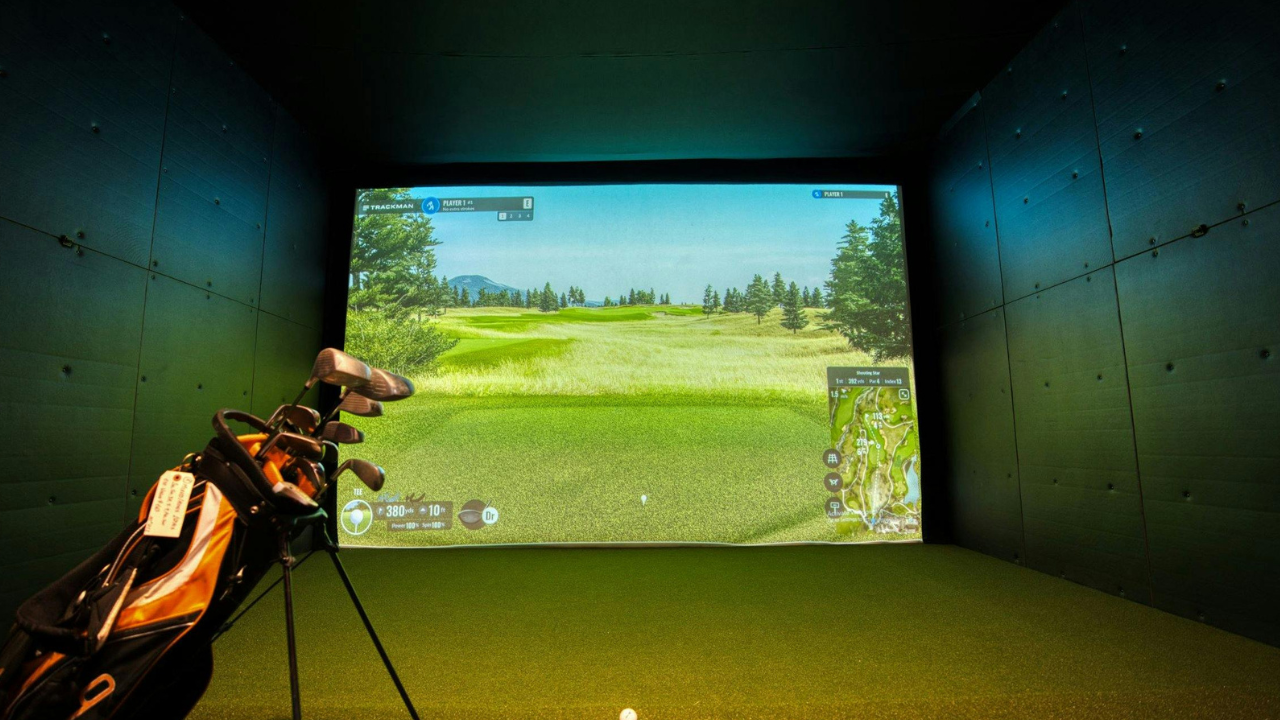
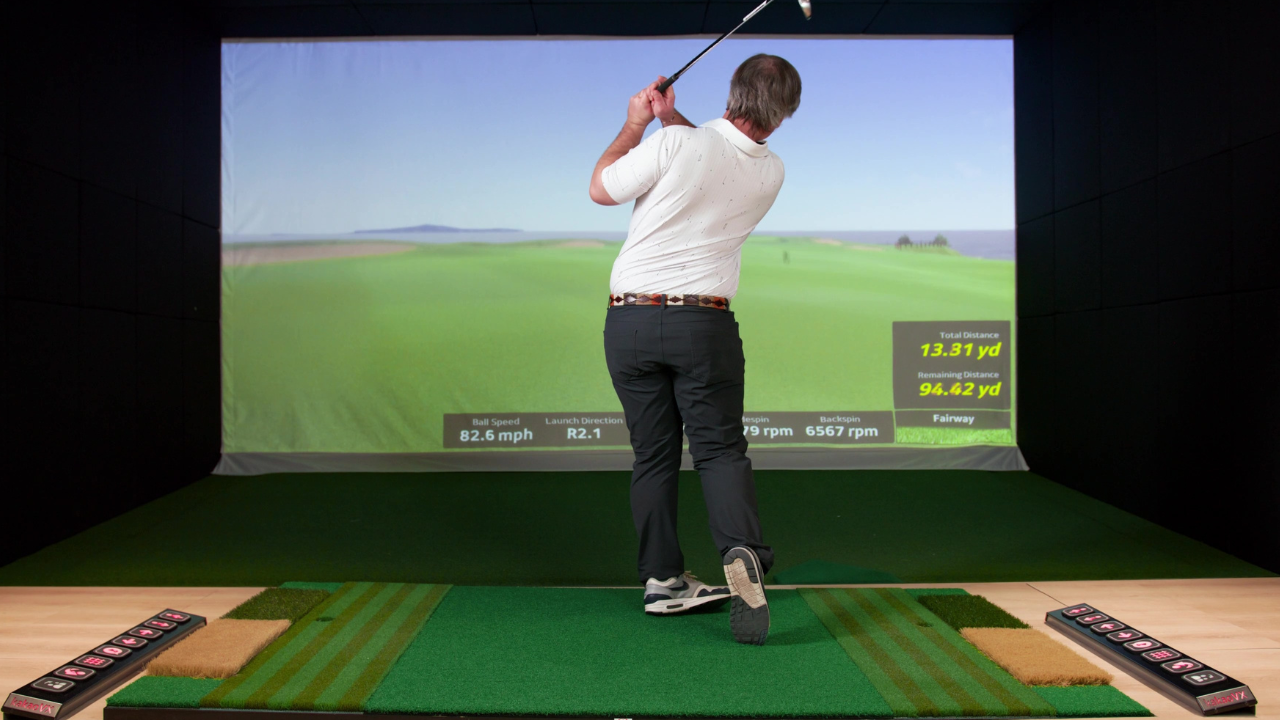
Golf simulator software is the invisible layer that takes raw data from a launch monitor and turns it into something you can experience — virtual rounds, practice modes, and skills challenges that feel like golf rather than a numbers display.
E6 CONNECT Home is a software platform designed specifically for home golf simulators. It doesn’t just show ball flight; it creates playable golf courses, structured formats, and practice environments that help you improve and enjoy the game indoors.
If launch monitors are the “measurement engine,” E6 CONNECT Home is the interactive environment that gives that data meaning.
What’s Included — Explained
E6 CONNECT Home is typically sold as a lifetime license rather than an ongoing subscription. With it, you get:
-
Virtual Golf Courses: A collection of detailed courses with different terrain, hazards, and design features for varied play.
-
Multiple Play Modes: Options like stroke play, best ball, Stableford, and scramble allow you to structure your indoor rounds in ways that match real golf.
-
Practice Areas: Dedicated spaces for driving, chipping, and putting so you can work on specific parts of your game.
-
Mini-Games and Challenges: Short-form drills like closest-to-the-pin or long-drive challenges make practice more engaging.
-
Unlimited Player Profiles: Save settings and stats for multiple golfers, which keeps sessions organized and personalized.
This isn’t a basic visualization tool — it’s software built for play and repeat use.
Beyond the Basics — What Makes E6 CONNECT Home Different
E6 CONNECT Home stands apart from simpler software for a few reasons:
Course Depth and Variety
The included courses aren’t generic renderings. They offer a range of environments — from seaside links to traditional parkland courses — each with strategic challenges that require thoughtful shot choices.
Multiple Ways to Play
Rather than restricting you to a single scoring format, E6 CONNECT Home supports a suite of competitive and casual play types. This means you can:
-
Play a traditional 18-hole round
-
Run a scramble with friends
-
Compete in Stableford or closest-to-the-pin challenges
This flexibility keeps sessions from feeling repetitive.
Combined Practice and Play
The software doesn’t treat practice as separate from play. Driving ranges, putting challenges, and short-game drills are all part of the same platform you use for full courses. That continuity matters: you’re training within the same environment where you also play simulated rounds.
Compatibility With Multiple Launch Monitors
E6 CONNECT Home is designed to work with a range of launch monitors, so it can integrate with systems you already own or plan to buy. This gives you flexibility when choosing hardware and ensures the software adapts to your setup.
Who E6 CONNECT Home Is For
E6 CONNECT Home is a natural fit if you:
-
Own or plan to buy a launch monitor and want a full play experience
-
Enjoy playing virtual rounds as well as practicing specific skills
-
Want a software platform that stays engaging over time
-
Prefer a one-time purchase over subscription fees
-
Use a simulator for social play, skill improvement, or simulated golf rounds
This software is not just for entertainment — it supports serious practice and sustained indoor play in a way that casual visualization tools don’t.
A Real-World Look at Using the Software
Think of E6 CONNECT Home as the part of your simulator that keeps you coming back. After warming up on the driving range, you might:
-
Set up a round using one of the included courses
-
Try a short-game challenge with a friend
-
Run through a series of approach shots on a practice green
-
Play a full 18 holes using competitive scoring
The feel of the software — how shots translate into outcomes, how courses unfold, how challenges are scored — is what defines the experience of your home simulator.
That’s why golfers who use E6 CONNECT Home tend to report higher engagement over the long term: the software feels like golf, not like a series of disconnected tests.
Technical and Setup Considerations
E6 CONNECT Home is software only. To make it work in your simulator you’ll need:
-
A compatible launch monitor to provide real-time shot data
-
A suitable display solution (monitor or projector and screen) for visuals
-
A PC or device capable of running the software smoothly
Because the software focuses on play experience rather than hardware mechanics, it doesn’t add complexity to your setup — but you do need hardware that can communicate accurate shot data.
This modular approach lets you build your simulator in stages: hardware first, then software to bring it to life.
What This Software Doesn’t Include
For clarity, E6 CONNECT Home does not include:
Those are separate purchases — often chosen based on your space, budget, and hardware preferences. The software is the interactive layer that makes those hardware investments usable.
How E6 CONNECT Home Fits Within Your Simulator Setup
E6 CONNECT Home belongs in the Software & Apps category of the directory and pairs naturally with mid- to high-tier launch monitors. Whether you’re using a SkyTrak, an Uneekor, or another compatible device, this software turns raw data into a playable golf experience.
-
If you’ve chosen a SkyTrak ST+ Studio setup, E6 can extend play into real courses and competitive formats.
-
If you’re using a premium monitor like Uneekor, E6 provides immersive play options beyond basic analytics.
-
Even with flexible portable systems, pairing them with quality software like E6 CONNECT Home elevates your practice into game-like sessions.
Explore compatible setups and detailed options in your Home Golf Simulator Directory to find hardware and accessories that work well with E6 CONNECT Home.
Summary
E6 CONNECT Home is more than a visualization engine. It’s the software that transforms hardware into a place golfers want to play again and again. With multiple course options, versatile play formats, and a single purchase model, it’s particularly appealing to golfers who care about engagement and longevity in their simulator experience.
If you want to build a setup that goes beyond basic practice and into true indoor golf play, pairing your hardware with software like E6 CONNECT Home is an essential step.